Skip to content
No results
People's Savings and Loan Company logo
  • Home
  • Online Banking
  • Our Services
    • Our Services
    • Online Banking
    • Deposit
    • Credit Cards
    • Mortgage Services
    • Vehicle Loans
    • Reorder Checks
  • About Us
  • Security Tips
  • Contact Us
Online Banking

Lost Debit Card

  • Main Office Phone: 419-562-6896

If you have ordered checks with our new company, Mainstreet, you can type in your account number and reorder most styles of check.  If you have not placed an order for checks we want to make sure everything is correct in our system, so please stop in or call us so we can verify your information.

If you would like to see our new check options, click here.

Lost Debit Card

  • Main Office Phone: 419-562-6896
People's Savings and Loan Company logo
  • Home
  • Online Banking
  • Our Services
    • Our Services
    • Online Banking
    • Deposit
    • Credit Cards
    • Mortgage Services
    • Vehicle Loans
    • Reorder Checks
  • About Us
  • Security Tips
  • Contact Us
Online Banking
  • Main: 419-562-6896
People's Savings and Loan Company logo
  • Main Office: 419-562-6896
  • July 17, 2018
  • Bank Account Security / Computer Scams / Computer Security / Telephone Scams

Avoid Internet pop up Tech Scams

Home Bank Account Security Avoid Internet pop up Tech Scams
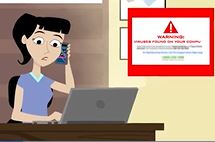
someone using a computer with a warning window

Avoiding tech support scams:

You’re working on your computer when, suddenly, a message pops up on the screen: “Virus detected! Call now for a free security scan and to repair your device.” That’s a tech support scam. Don’t call, text, or email. Legit tech support companies don’t operate that way.

Scammers pose as big-name companies and use pop-up messages, fake websites, and phone calls to trick you into thinking your computer has an urgent problem. Their plan is to get your money by selling you worthless software, enrolling you in fake programs, or getting you to pay for useless tech support. The scammers urge you to call a toll-free number immediately, threatening that you may lose personal data if you don’t.

When you call, the scammer might ask you to give them remote access, pretend to run a diagnostic test, or tell you they’ve found a virus or other security issue. They try to sell you a security subscription or other “services” that range from worthless (for instance, they’re available for free elsewhere) to malicious (they install dangerous software that can help them steal your personal information.)

What should you do? If you get a pop-up to call a number to fix a virus on your computer, ignore it. Your computer is almost certainly fine.  Close the window by  pressing down and holding the “ALT” key and then press the “F4” key.  This will close one window with each press of “F4”  (keep holding down the “ALT” key.)  But if you’re concerned about your computer, call your security software company directly — and don’t use the phone number in the pop-up or on caller ID. Use a number you know is real, like the one on a software package or your receipt. Tech support scammers like to place online ads pretending to be legitimate companies, so be sure you have the correct telephone number for the real tech company before calling.

And if someone asks you to pay for anything — including tech support services — with a gift card, cash reload card, or a wire transfer, that’s a scam. No legitimate company will tell you to pay that way. If you see that, report it at FTC.gov/complaint.

The original article appears here  FTC Avoiding tech support scams

July 16, 2018
by
Carol Kando-Pineda
Attorney, Division of Consumer and Business Education

Credit Card with ice on it for credit freeze.
Previous Post Credit freezes are coming soon
Next Post Look out for credit card skimmers on gas pumps
Picture of a gas pump
People's Savings and Loan Company logo

Savings, Loans, and other Financial services with a focus on Crawford and surrounding counties in Ohio.

  • Android PSALC Android App
  • Apple PSALC iOS App
  • Facebook
FDIC

© 2026 PSALC - Peoples Savings and Loan Company

Accessibility | Privacy and Security | CRA Public File

Please be aware of the following information

The link you have clicked on is located on another website and will open in another window or tab. The linked site contains information that has been created, published, maintained, or otherwise posted by institutions or organizations independent of Peoples Savings and Loan Company. We do not endorse, approve, certify, or control any linked websites, their sponsors, or any of their policies, activities, products, or services. We do not assume responsibility for ADA compliance, accuracy, completeness, or timeliness of the information contained therein. Please click “Proceed” to leave this website and proceed to the selected site.